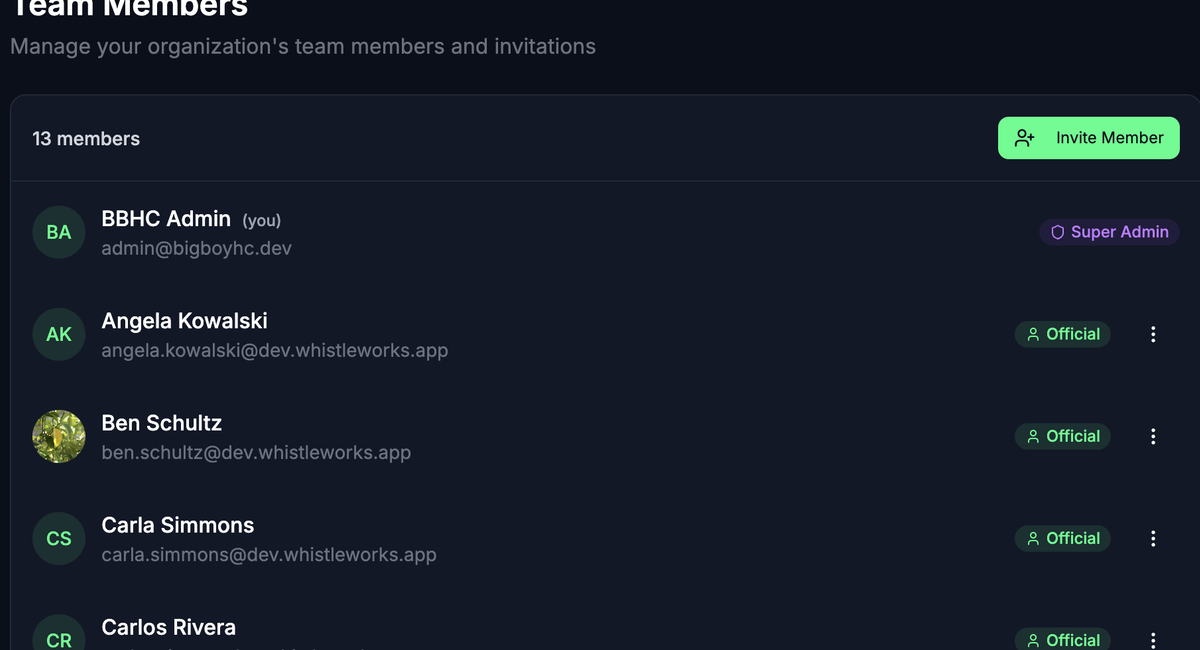
The Members page is where you invite people to your organization, manage their roles, and handle pending invitations. Each member can have one or more roles that determine what they can see and do in Whistle Works.
To get here, go to Settings > Members in the sidebar.
Roles
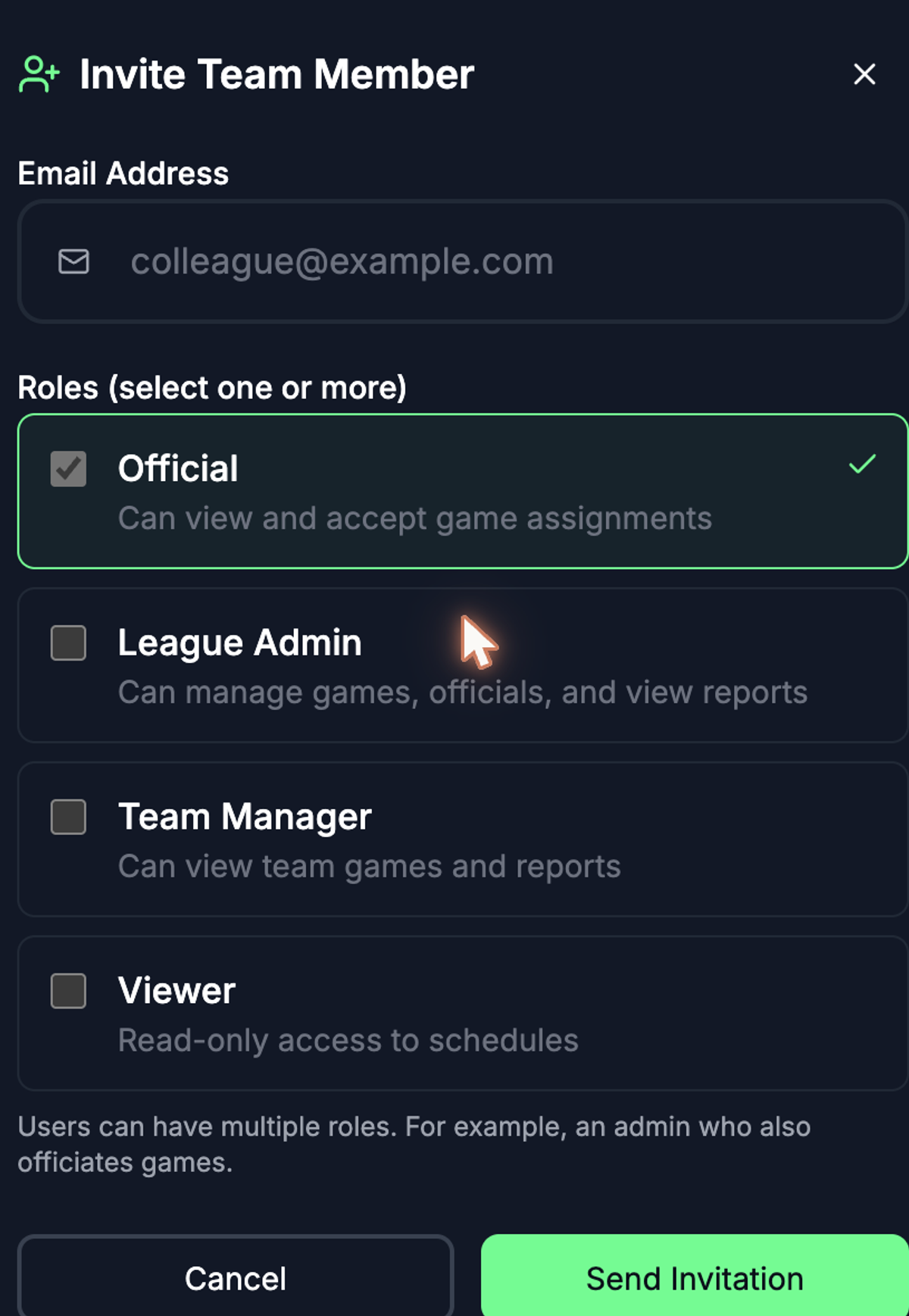
Each member has at least one role. A member can hold multiple roles at the same time -- for example, an admin who also officiates games.
- Super Admin — Full access to all settings, members, games, and billing. Can manage other admins.
- League Admin — Can manage games, officials, and view reports. Cannot manage Super Admins or billing.
- Official — Can view and accept game assignments.
- Team Manager — Can view team games and reports.
- Viewer — Read-only access to schedules.
Invite a Member
- Click the Invite Member button in the top right corner.
- Enter the person's Email Address.
- Select one or more Roles. The default is Official. You can select multiple roles by checking the boxes.
- Click Send Invitation.
The person receives an email invitation to join your organization. Their invitation appears in the members list with a "Pending" status until they accept.
View Pending Invitations
Pending invitations appear at the bottom of the members list with a mail icon and a "Pending" badge showing the invited role. You can see who sent each invitation.
Cancel a pending invitation
- Find the pending invitation in the list.
- Click the trash icon on the right.
- Confirm the cancellation.
The invitation link in the email will no longer work after you cancel it.
Change a Member's Roles
Only Super Admins can change roles.
- Find the member in the list and click the three-dot menu on the right.
- Under Toggle Roles, click any role to add or remove it.
- A checkmark indicates the member currently has that role.
A member must always have at least one role -- you cannot remove their last remaining role.
Remove a Member
- Find the member in the list and click the three-dot menu on the right.
- Select Remove from team.
- Confirm the removal.
You cannot remove yourself. Super Admins can remove any other member. League Admins can remove Officials, Team Managers, and Viewers, but not other admins.
Who Can Manage Whom
Your ability to manage other members depends on your role:
- Super Admin — Yes — Yes (all roles) — Yes (anyone except yourself)
- League Admin — Yes — No — Officials, Team Managers, Viewers only
What's Next?
- Organization Settings -- Turn on self-signup to let officials join without a personal invitation.
- Defining Positions -- Set up positions that officials will be assigned to.
- Billing and Subscription -- Manage your subscription and payment methods.