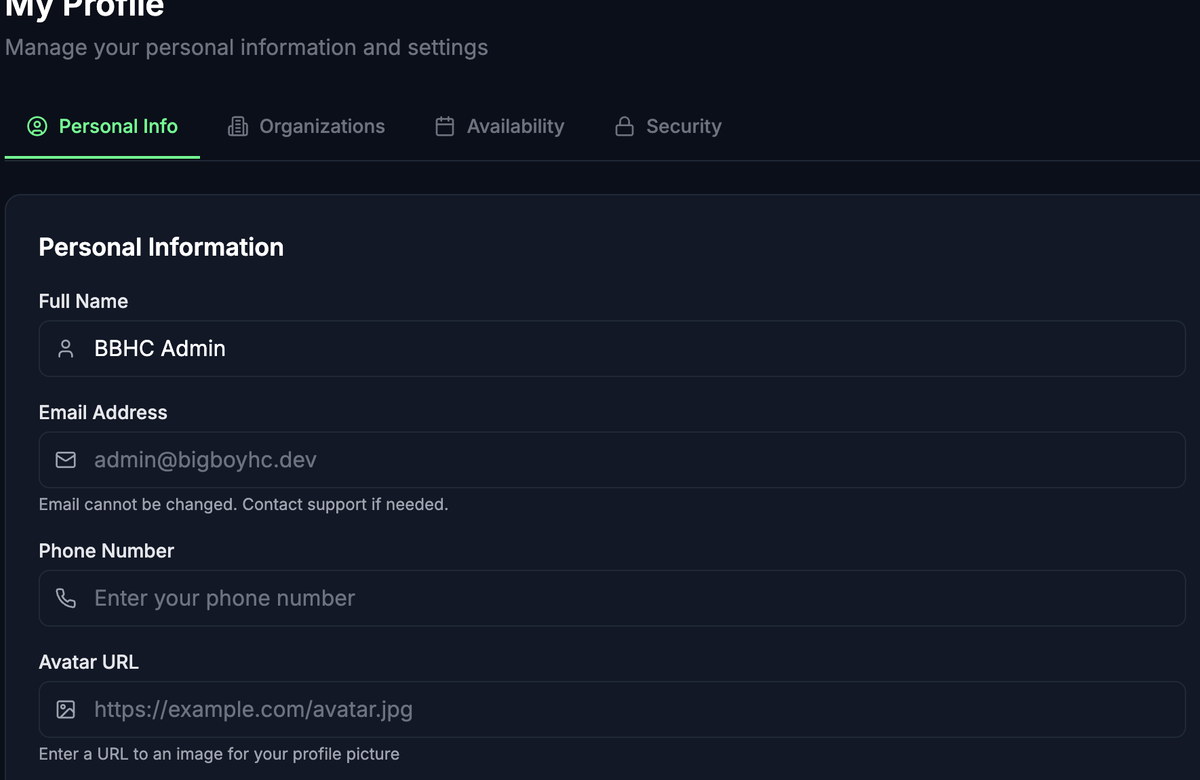
The Personal Information page lets you manage the basic details on your Whistle Works account, including your name, phone number, and profile picture.
Updating your profile
- Navigate to your profile settings.
- You will see a form with the following fields:
- Make your changes and select Save Changes.
A green "Profile updated successfully!" message confirms your changes were saved.
tipIf you do not have an image hosted online for your avatar, you can use a free image hosting service to upload a photo and paste the resulting URL into the Avatar URL field.
Accounts linked to Google or Apple
If you signed up or log in with Google or Apple, a section labeled Account Provider appears on this page. It shows which provider you are using (for example, "Google"). Some account settings, like your email address, may need to be managed through that provider's account settings rather than in Whistle Works.
What you cannot change here
- Email address -- Contact support if you need to update your email.
- Password -- Visit Security Settings to change your password.
What's next?
- Security Settings -- Change your password.
- Your Organizations -- View and switch between your organization memberships.